Win10 + Kali 2025 Dual Boot UEFI
This is just a warning what you shouldn’t do.
Kali installer will offer to make partitions automatically. (if you chose to use all empty available space which is obvious choice if you have Windows 10 already installed, and you leave some empty space for linux).
And in this case you get something like this. 2 EFI partitions which leads in…. didn’t try, but it can be only one EFI partition
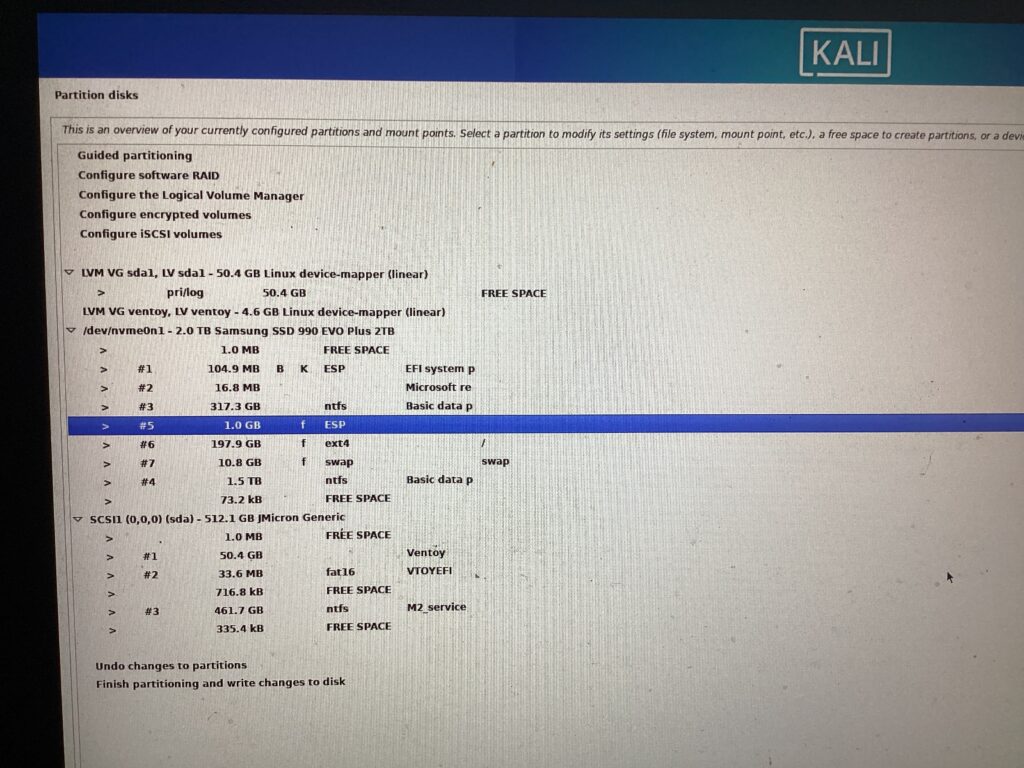
So, you have to chose manual partitioning. Select existing EFI partition, tell installer to use it and put a boot flag. (do not format) Then, make ext4 and swap partitions. That’s all. Click to write partition table. It should meke and format EXT4 and SWAP ONLY
Tags: dual boot, kali, partitions
Leave a Reply